

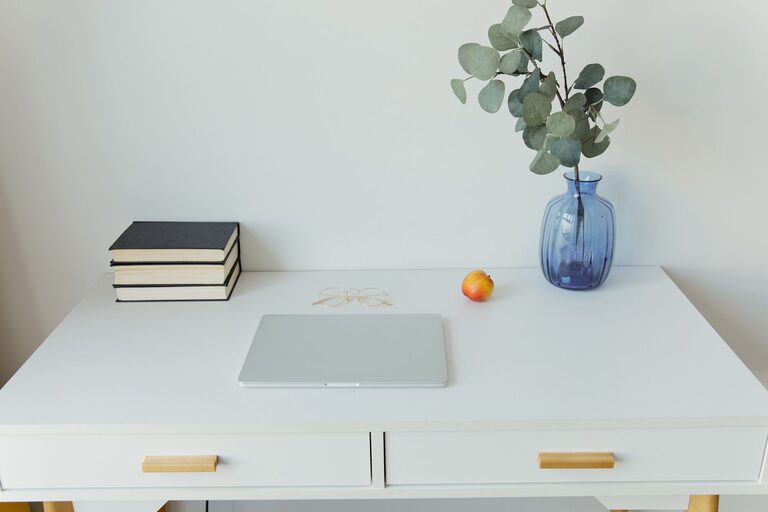
Creating a home office that is both clutter-free and productive is essential for anyone working remotely or managing tasks at home. A well-organized workspace not only helps you focus but also reduces stress and increases efficiency. Whether you have a dedicated room or a small corner, these tips can help you design an office that inspires work and keeps distractions at bay.
Why Organize Your Home Office?
Before diving into the how, it’s helpful to understand the why. A cluttered workspace can lead to decreased focus, wasted time searching for items, and even anxiety. On the other hand, an organized office supports clear thinking and boosts creativity. It sends a message to your brain that it’s time to work, helping you transition smoothly between home life and professional tasks.
—
Choosing the Right Location
Assess Your Space
Start by identifying the best spot in your home for your office. Ideally, choose a quiet area with good natural light. If space is limited, even a small desk in a corner or a nook can work with the right setup.
Minimize Distractions
Select a location away from high-traffic areas or noisy appliances. If that’s not possible, noise-canceling headphones or a white noise machine can help create a calm environment.
—
Essential Furniture and Layout
Invest in a Comfortable Chair
Since you’ll be spending several hours at your desk, choose a chair that supports good posture. Comfort helps reduce physical strain and improve concentration.
Use a Functional Desk
Pick a desk that fits your space and work needs. Consider desks with built-in storage to keep items handy but out of sight.
Plan Your Layout
Arrange your furniture to maximize natural light while avoiding screen glare. Keep frequently used items within arm’s reach and create zones for different activities, such as computer work and note-taking.
—
Decluttering Your Workspace
Keep Only What You Need
Remove unnecessary items from your desk. Limit decorations to a few meaningful or inspiring pieces to keep the area inviting without becoming distracting.
Use Storage Solutions
– Cable organizers to avoid tangled cords
– Desk trays or drawer dividers to separate papers and supplies
– Shelving units or cabinets to store books, files, and equipment
Go Digital Where Possible
Reduce paper clutter by scanning documents and organizing files digitally. Use apps and cloud storage to keep your important information accessible and secure.
—
Daily Habits for Maintaining Organization
Set a Clean-Up Routine
Spend 5 to 10 minutes at the end of each workday tidying your desk. Put away supplies, clear papers, and prepare your space for the next day.
Prioritize Your Tasks
Use a planner or digital tool to keep track of daily goals. This can also help reduce visual clutter from sticky notes or random scraps of paper.
—
Personalizing Your Space
Add Greenery
Plants can brighten up your workspace and improve air quality. Choose low-maintenance plants like succulents or spider plants if you don’t have a green thumb.
Use Inspiring Décor
Incorporate a few pieces of art, photos, or quotes that motivate you. Personal touches help create a space where you enjoy spending time.
—
Maximizing Productivity
Optimize Lighting
Ensure your office has bright, adjustable lighting. Using a combination of natural and task lighting reduces eye strain and keeps you alert.
Take Breaks and Move
Organize your schedule so you can step away from the desk regularly. A quick stretch or short walk can refresh your mind and improve focus.
—
Final Thoughts
An organized and clutter-free home office is achievable with thoughtful planning and consistent habits. By choosing the right location, investing in functional furniture, decluttering regularly, and personalizing your space, you can create an environment that supports both comfort and productivity. Start small, and over time, your workspace will become a place where you can do your best work every day.